Designers vs AI. Is it really one or the other?
Designers have been using AI for years. From intelligent selection tools and image recognition to content-aware fills and automated features, AI has been quietly helping us work for a long time. What’s new is generative AI, the ability to create images, ideas and content from a simple text prompt. And suddenly, everyone’s a designer. Or are they? We’ve been here before. When Photoshop arrived in 1990, it changed how we manipulated images and challenged traditional ways of working. New technology has always raised questions about the future of creative jobs. Eventually, many of these tools became standard parts of the designer’s toolkit. We see plenty of posts from designers declaring that they refuse to use AI. That’s entirely their choice, of course. But it does make me wonder: where do we draw the line between AI and a tool that helps a designer do their job? Photoshop uses AI-powered features. So do many other creative applications we use every day. If we accept these tools as part of our workflow, at what point does AI become unacceptable?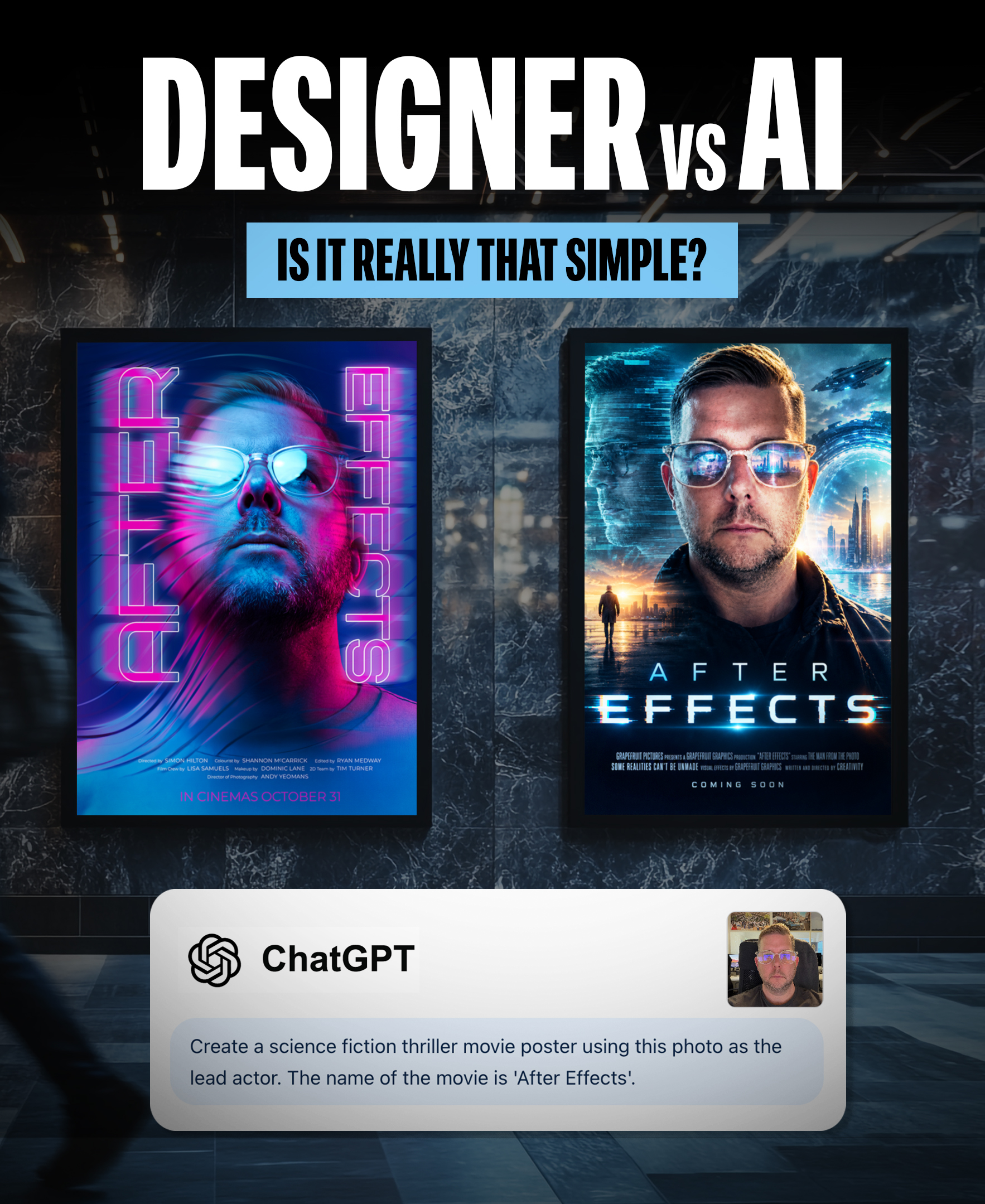
Our view? Treat generative AI like Photoshop. A tool, not a replacement for a designer.
We see some huge opportunities.
Concepting: Fantastic for exploring ideas, visualising directions and getting a concept off the ground.
Briefing: An excellent way for clients to express what they have in mind, even when they struggle to articulate it in words. A picture can communicate an idea that a written brief sometimes can’t.
Speed: You can get to a visual idea incredibly quickly. Something that might once have taken hours can appear in seconds.
And that speed has certainly got people talking.
I’ve had conversations with friends who claim they can now do my job in five minutes on their phone.
Maybe they can generate an image in five minutes. But there’s a difference between creating an image and delivering a considered, original piece of design.
And, to be fair, these people probably wouldn’t have hired a designer in the first place. They’re not necessarily taking work away from us; they’re accessing a new creative tool that gives them possibilities they didn’t have before.
But generating an image is only part of the job.
Making changes: A well-considered, layered design gives you control. Need to change the lighting, move an element, adjust the typography or swap a character? With a properly built design file, that’s manageable. With a generated image, it can be a much bigger challenge.
Illustration: AI-generated illustrations can look fantastic at first glance, but look closer and you can find messy construction, inconsistent details, distorted objects and nonsensical layering. If you need to make precise changes or use the illustration as part of a larger design, you may find yourself spending so much time fixing it that a complete redraw is the better option.
Print and production: An image that looks brilliant on your phone isn’t necessarily ready for professional print. Generated imagery can lack the resolution needed for large-format applications such as exhibition graphics, vehicle wraps, billboards or boat graphics. Upscaling can help, but it won’t always restore the detail and quality required. There’s also colour management, typography, image integrity and preparing files to meet the printer’s specifications.
A convincing image on screen and a production-ready design are two very different things.
Vision and prompting: AI is only as useful as the direction it receives. Knowing what to ask for, how to describe a visual style, which details matter and how to refine the result all make a difference. Good prompting takes imagination, visual judgement and a clear creative vision. The technology can generate options, but someone still needs to know what good looks like.
And it’s definitely not a one-click solution.
So, we put it to the test.
We gave generative AI a one-sentence brief:
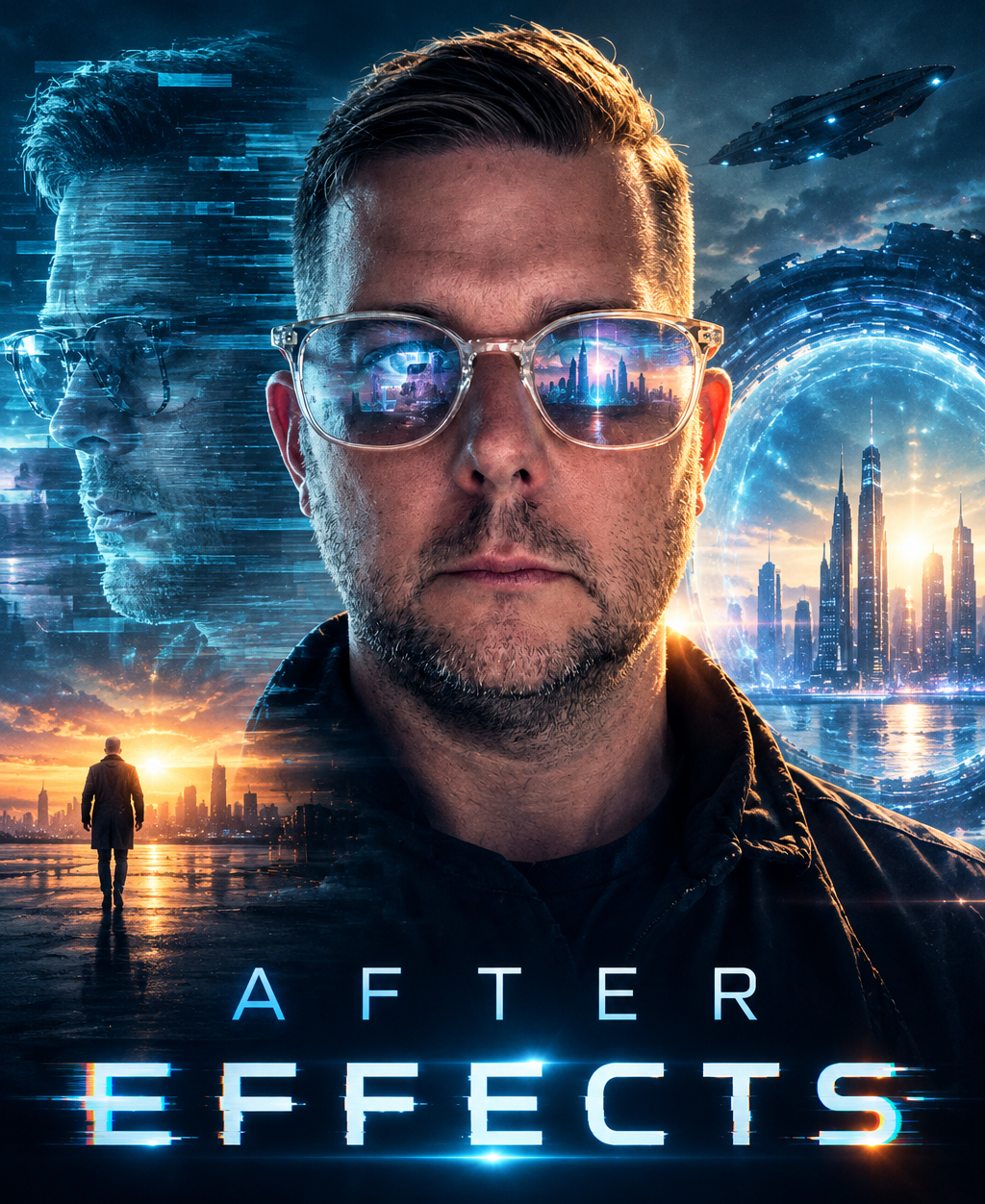
“Create a science fiction thriller movie poster using this photo as the lead actor. The name of the movie is ‘After Effects’.” We uploaded just one photograph – of our own Creative Lead, Simon Hilton.
We treated the Chat GPT as a one-click wonder, whatever result it gave us was the one.
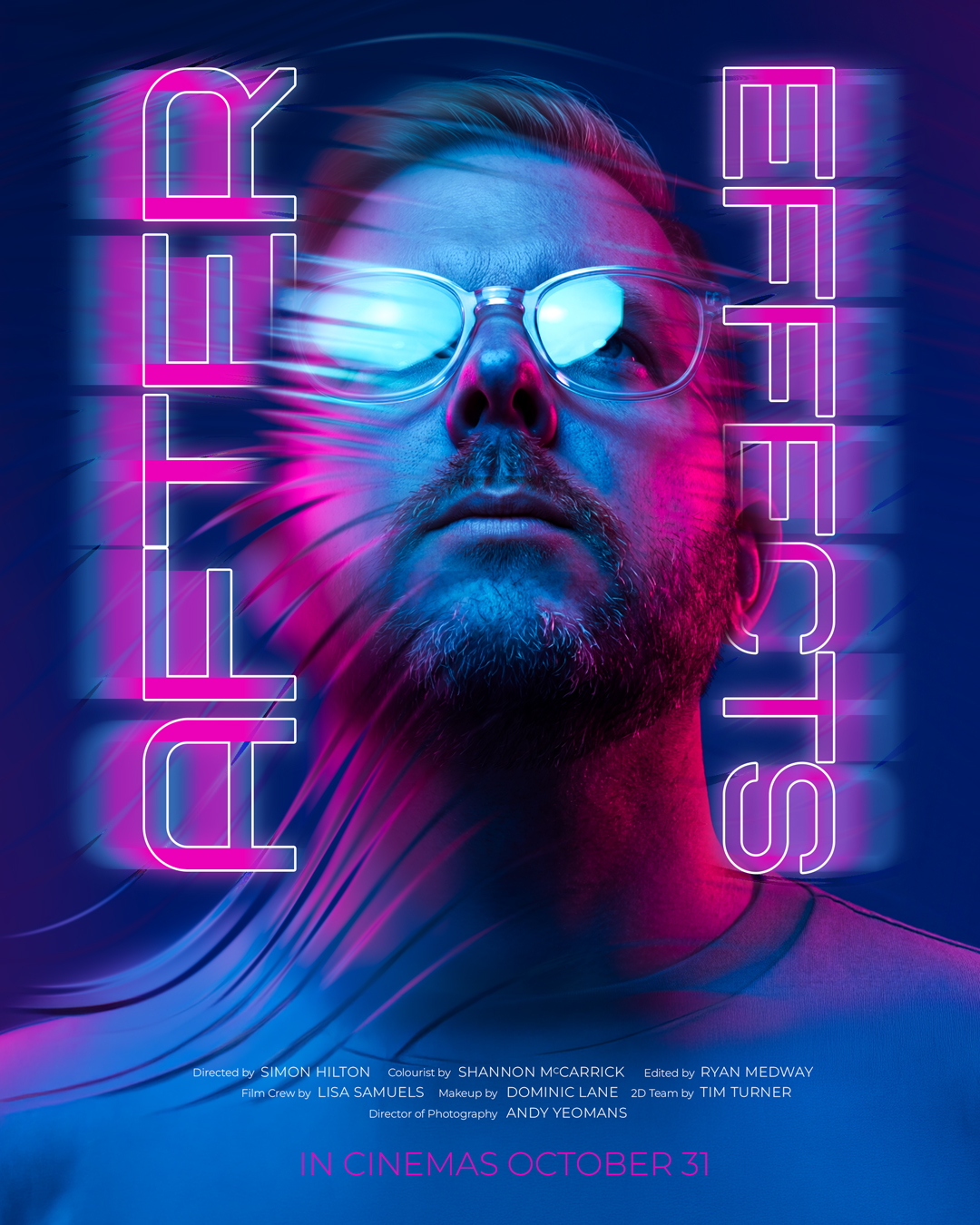
However for our poster we used a series of tools to create the background imagery, some of which was generative AI, drawing on our own design experience, visual references and styles that inspired us. We directed the look and feel, refined the results and brought those elements together into a finished concept.
We also explored and adjusted details such as the facial angle and were able to use generative AI to reposition the head without having to arrange another photoshoot.
That’s where AI becomes particularly powerful: it gives designers new ways to realise a vision, rather than dictating what that vision should be.
No elaborate written brief. Just one sentence and one photo to get the experiment started — backed by creative thinking and a process of refinement.
The results are in the images attached to this post.
You might prefer the AI version. You might prefer ours. Creative work is subjective.
We know we can’t win on speed. But we think we’ve got a good case for originality.
AI is an incredible addition to the creative toolbox. It can help us think, explore, experiment and communicate ideas in entirely new ways. It can help clients discover what they want, and it can help designers get to better ideas faster.
But understanding the brief, bringing a vision to life, making the right creative decisions, solving problems and delivering work that actually works for the client? That takes more than a prompt.
The question isn’t whether AI can design. It’s what a designer can do with AI.